Show the coffee you serve and turn on the roaster role
Say whose coffee you brew and, if you roast, publish your catalogue and the coffee shops that serve it.
Reading time: 5 minUpdated November 11, 2026
My Coffee Guide shows the whole chain, from farm to cup. Your part is saying which coffee you serve and, if you roast, which coffee you roast.
Before you start
- The listing must be verified in your name.
- The owner and people with the Admin or Manager role can do this.
- If you roast, have your coffees' details as they appear on the bag: name, origin, roast level.
What you'll get: your listing shows the roaster and the coffee you serve. If you roast, you appear on the map as a roaster, with your catalogue.
Steps
1. Show the coffee you serve
In the menu, tap Coffee.
Scroll to Coffee we serve. Under Add a coffee you'll find the Roaster search box.
In Roaster, type the roaster's name and pick it from the list.
Under Which coffee?, choose the specific coffee. If you're not sure, choose I don't know which coffee; if the roaster has no catalogue, we'll list the roaster only.
Tap Add.
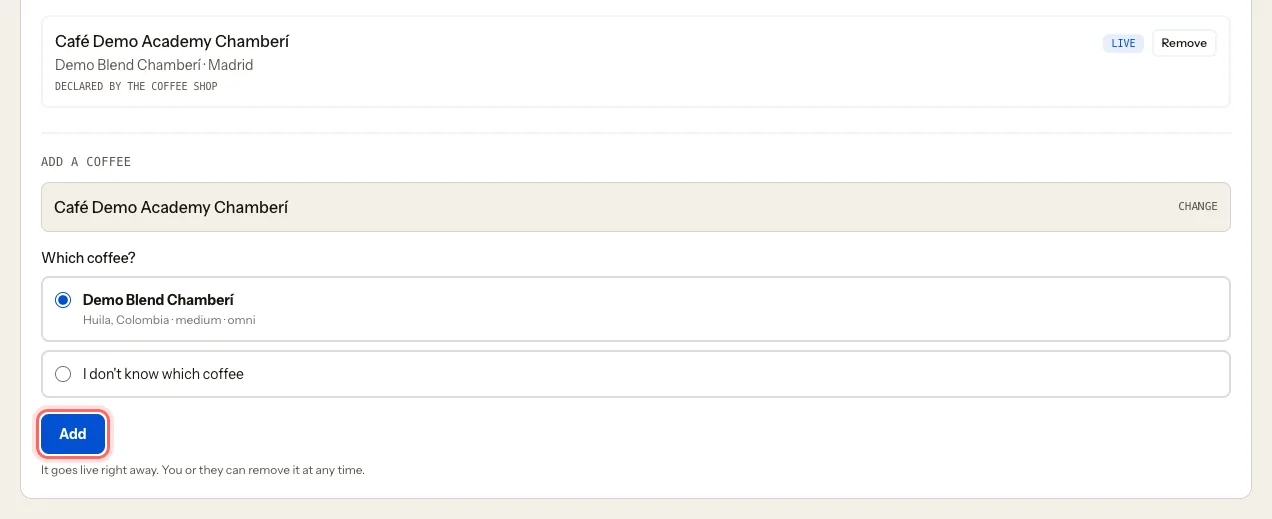
It goes live right away. You or the roaster can take it down at any time with Remove.
2. Turn on the roaster role
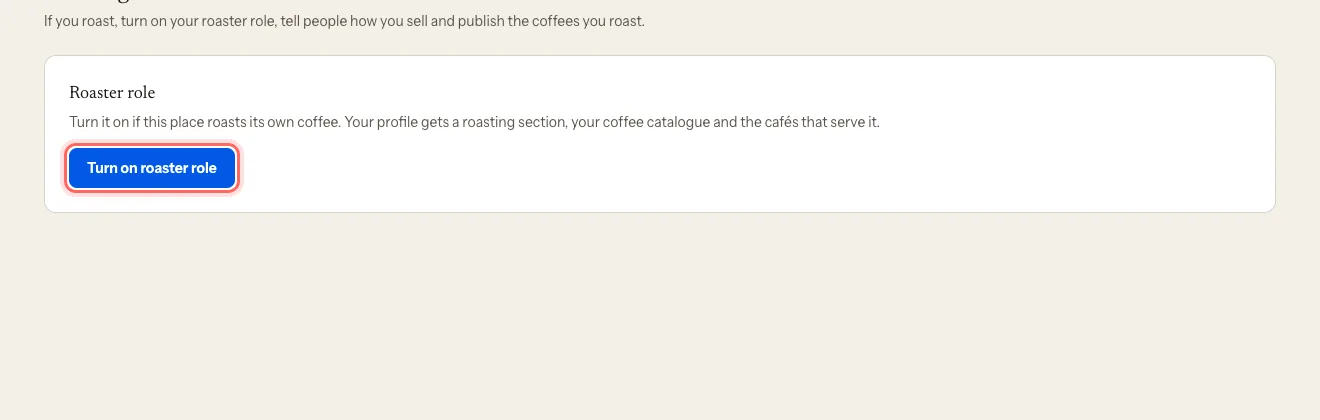
In the menu, tap Roasting.
Tap Turn on roaster role.
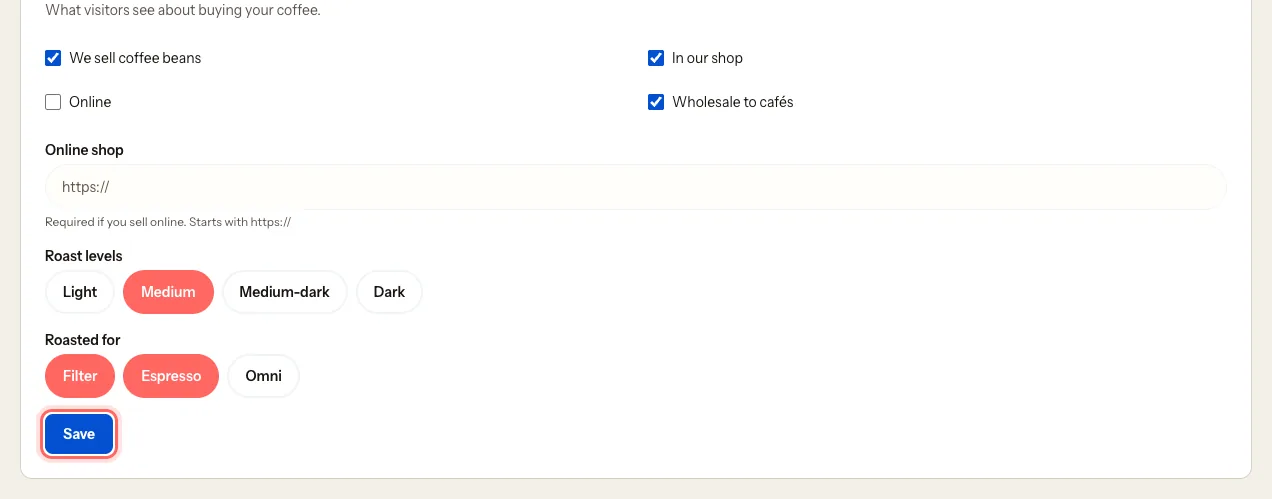
Under How you sell, tick We sell coffee beans and where: In our shop, Online or Wholesale to cafés. If you sell online, Online shop is required (it starts with https://).
Choose your Roast levels and, under Roasted for, Filter, Espresso or Omni.
Tap Save.
3. Publish your coffees
Under Your coffees, tap Add a coffee.
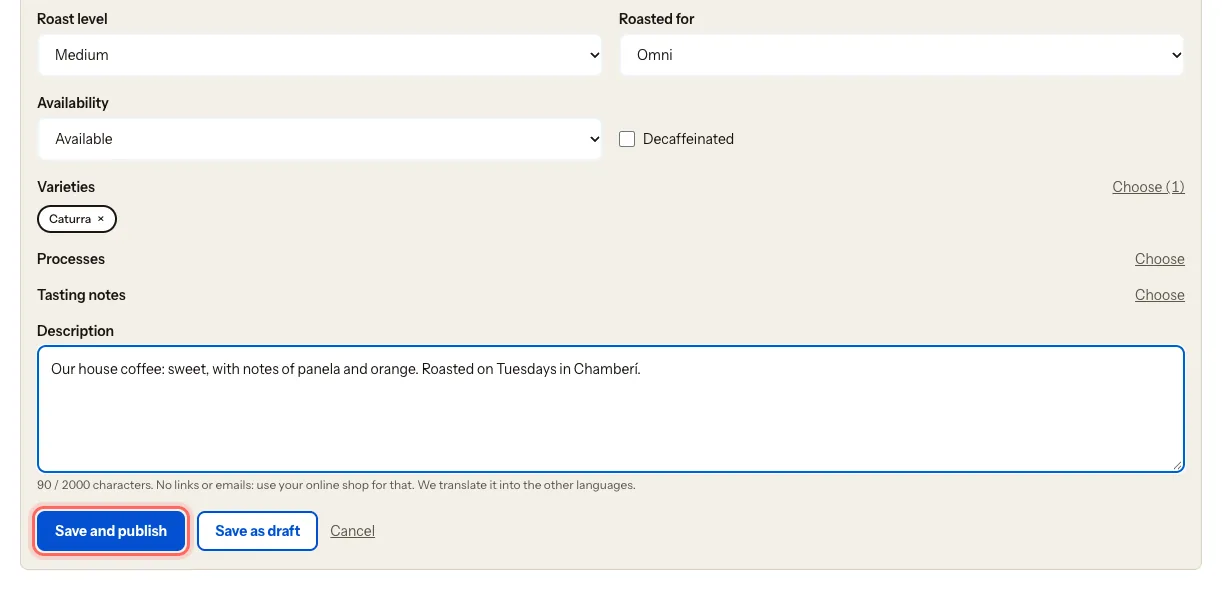
Fill in the Name (as on the bag), Origin (country and region, e.g. Guji, Ethiopia), Roast level, Roasted for and Availability.
Add the variety, process and tasting notes, plus a Description with no links or emails. We translate it into the other languages.
Tap Save and publish, or Save as draft if you're not ready to show it.
From the list you can Edit, Unpublish, Archive or Delete each coffee.
4. List the coffee shops that serve your coffee
Go back to Coffee.
Scroll to Places that serve our coffee. Under Add a coffee shop you'll find the Coffee shop search box.
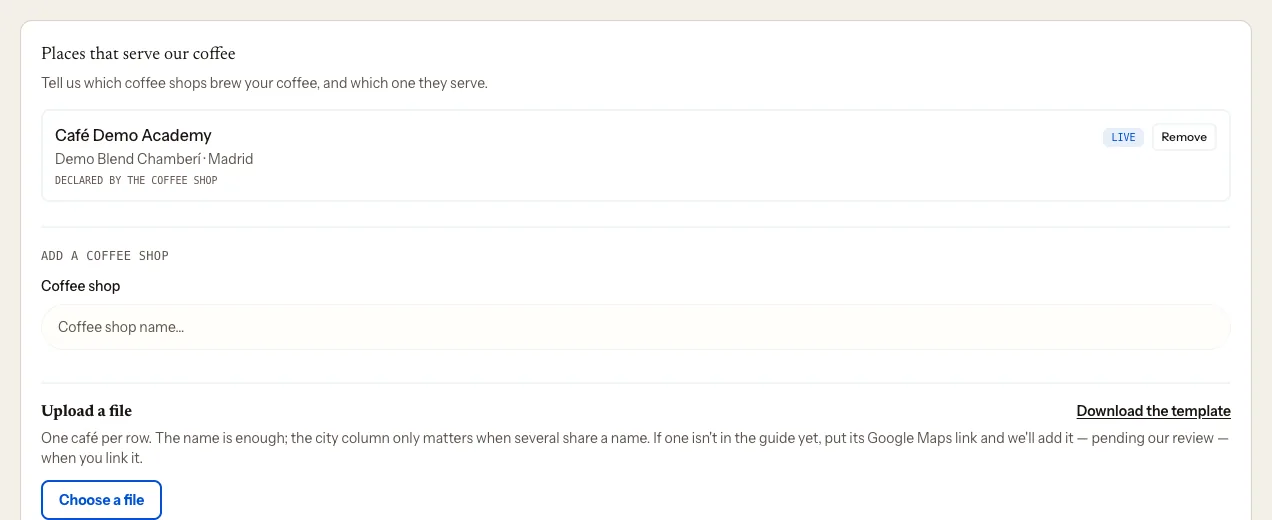
Choose the Coffee shop and, under Which of your coffees?, the coffee it serves.
Tap Add.
What happens next
- Your listing shows the coffee you serve and who roasts it.
- If you're a roaster, your listing gets a roasting section, you appear on the map as a roaster, and each coffee shows how many cafés serve it.
Troubleshooting
I can't find the roaster. They may not be in the guide yet. Write to us and we'll add them.
I get "Only places that roast can list their clients". Turn on the roaster role in Roasting first.
I get a limit message when I publish a coffee. Save it as a draft or unpublish another one. The portal shows you the options you have.
I want to stop showing as a roaster. Tap Turn off roaster role. It hides the roasting section but deletes nothing: your profile and catalogue are kept.
Was this guide helpful?
Next step
Post a jobPost a job on mycoffee.guide/empleos and receive applications in the portal.Related guides
- Edit your listing: photos, hours and featuresUpdate your coffee shop's description, photos, opening hours, contact details and features.
- Request a name, address or location changeYour listing's name, address, map pin and visibility are changed by our team. Here's how to ask.
- See your listing statsHow many people see your listing, where they click and who signs up for your events and jobs.