Request a name, address or location change
Your listing's name, address, map pin and visibility are changed by our team. Here's how to ask.
Reading time: 3 minUpdated November 11, 2026
Some details identify your coffee shop across the whole guide: on the map, in search and in the awards. That's why we check them by hand before they change.
Before you start
- The listing must be verified in your name.
- The owner and team members with the Admin or Manager role can request changes.
What you'll get: a request our team reviews, with the answer right there in the portal.
What you request and what you change yourself
| Detail | How it changes |
|---|---|
| Coffee shop name | Request it |
| Page address (the URL) | Request it |
| Address and city (and the map pin with them) | Request it |
| Visibility (whether it shows on the map — during a temporary closure, for example) | Request it |
| Description, photos, hours, contact, features | Change it yourself: Edit your listing |
Steps
On your coffee shop's dashboard, tap Edit my coffee shop.
Scroll down to Details our team manages.
Next to the detail you want to change, tap Ask us to change it.
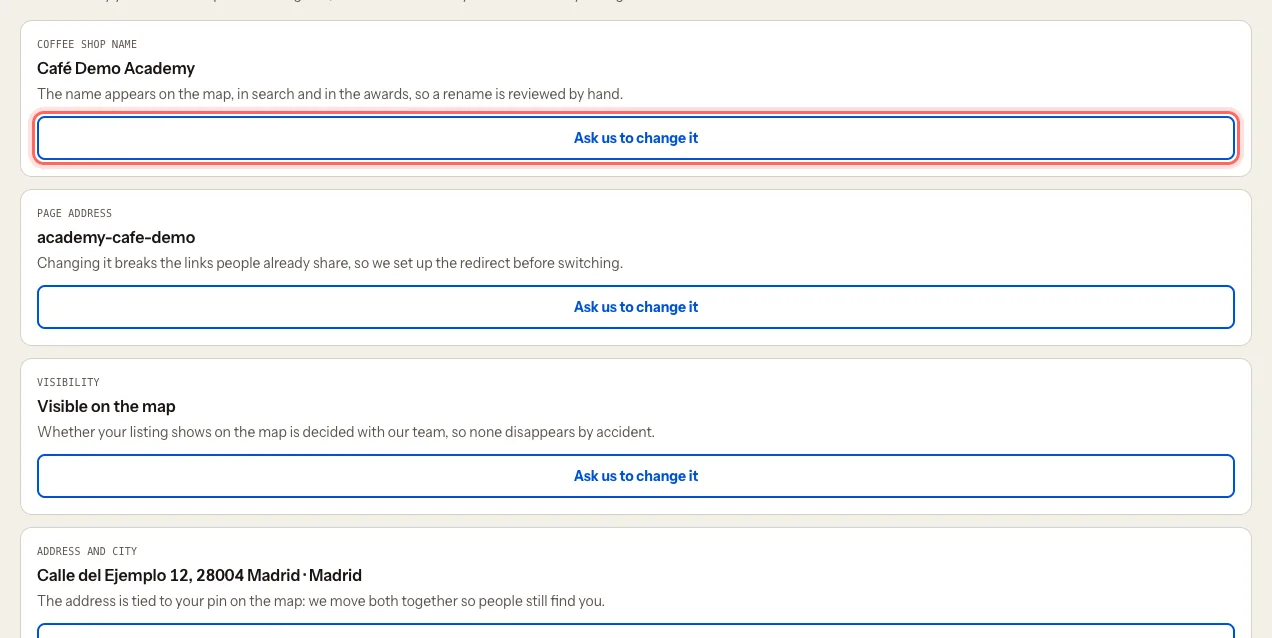
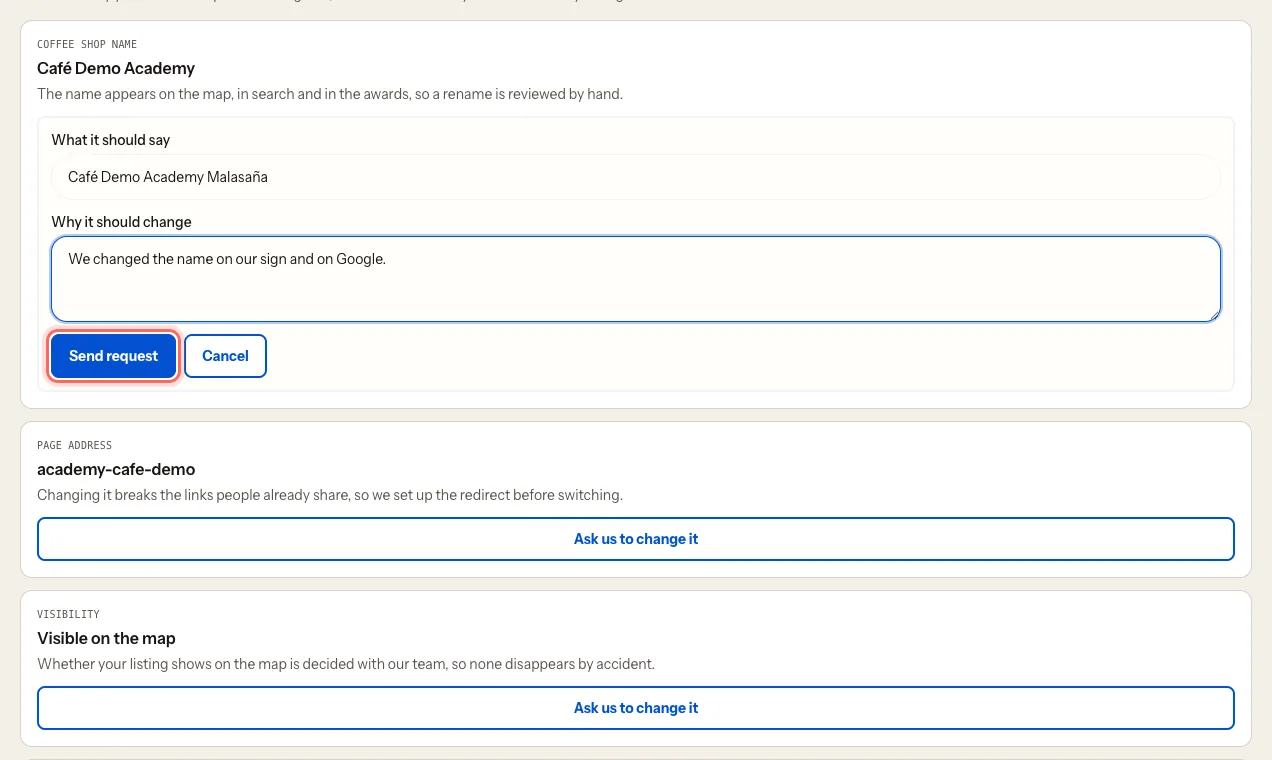
Fill in What it should say (or What it should be, for visibility).
Under Why it should change, tell us why: a rename, a move, a temporary closure… whatever helps us check it.
Tap Send request.
What happens next
- You'll see Request sent. Our team will review it.
- Under Your requests you can follow its status — Pending, Approved or Rejected — with Our answer if there is one.
- We email you once we've reviewed it.
- If we change the address, we move your map pin with it so people can still find you.
Troubleshooting
I made a mistake in the request. While it's Pending, tap Withdraw request and send a new one.
Does a new name change the listing's URL? It can. If you link to your listing from your website or social media, check the link after the change.
My coffee shop has closed for good. Request a Visibility change and explain it in the reason.
Was this guide helpful?