Create your farm profile
Create your farm's page on the Origin Map if it isn't in the guide yet.
읽는 시간: 3 min2026년 11월 11일 업데이트
이 가이드는 아직 사용하시는 언어로 제공되지 않아 영어로 보여드립니다.
If your farm isn't on the Origin Map, create it in two minutes. You can fill in the rest later.
Before you start
- Search for your farm on mycoffee.guide first. If it's already there, don't create it again: Claim your farm.
- Have a Google Maps link to your farm ready. A pin you drop yourself is enough. It's optional, but it saves you typing coordinates.
What you'll get: your farm's page, in your name, ready to complete.
Steps
Go to login.mycoffee.guide. It's the same portal for coffee shops, roasteries, farms, importers and brands.
If it's your first time, you'll see two First, tell us who you are screens in a row: one for your name and city, and one for your role, contact email and phone. Fill in both and tap Continue on each.
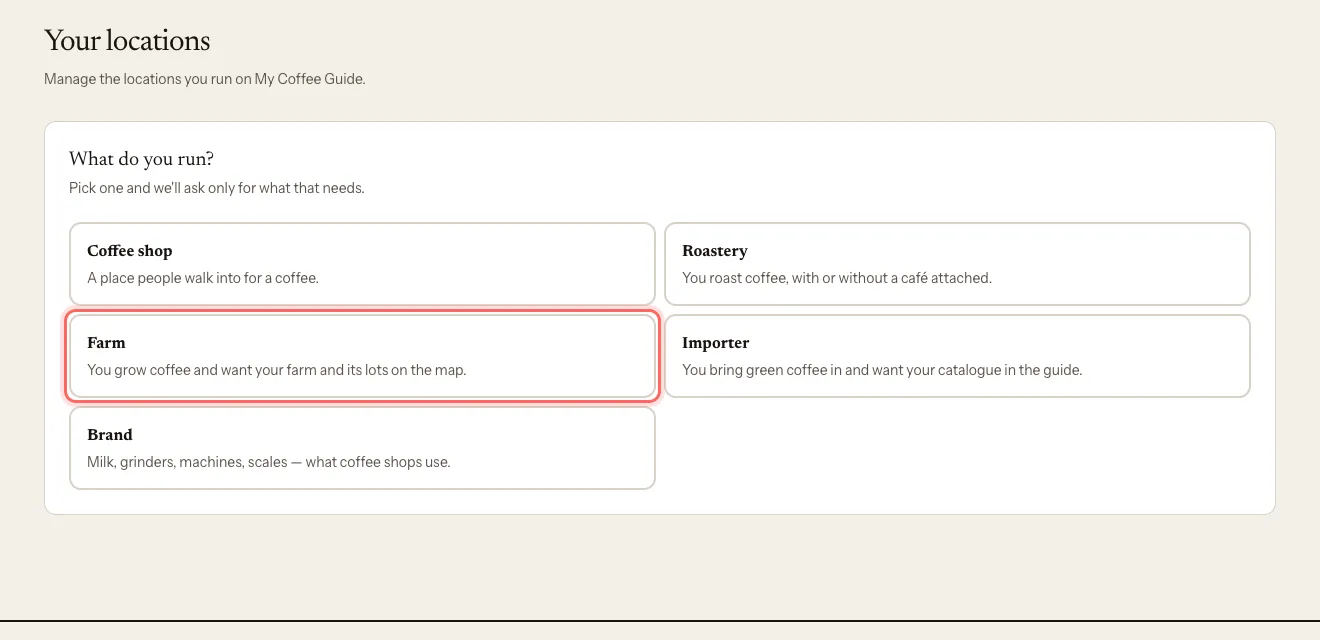
Under What do you run?, choose Farm.
If you have the Google Maps link, paste it into Google Maps link (optional) and tap Use it. We fill in the pin, the name and the country.
Enter the Farm or producer name.
Choose the Country.
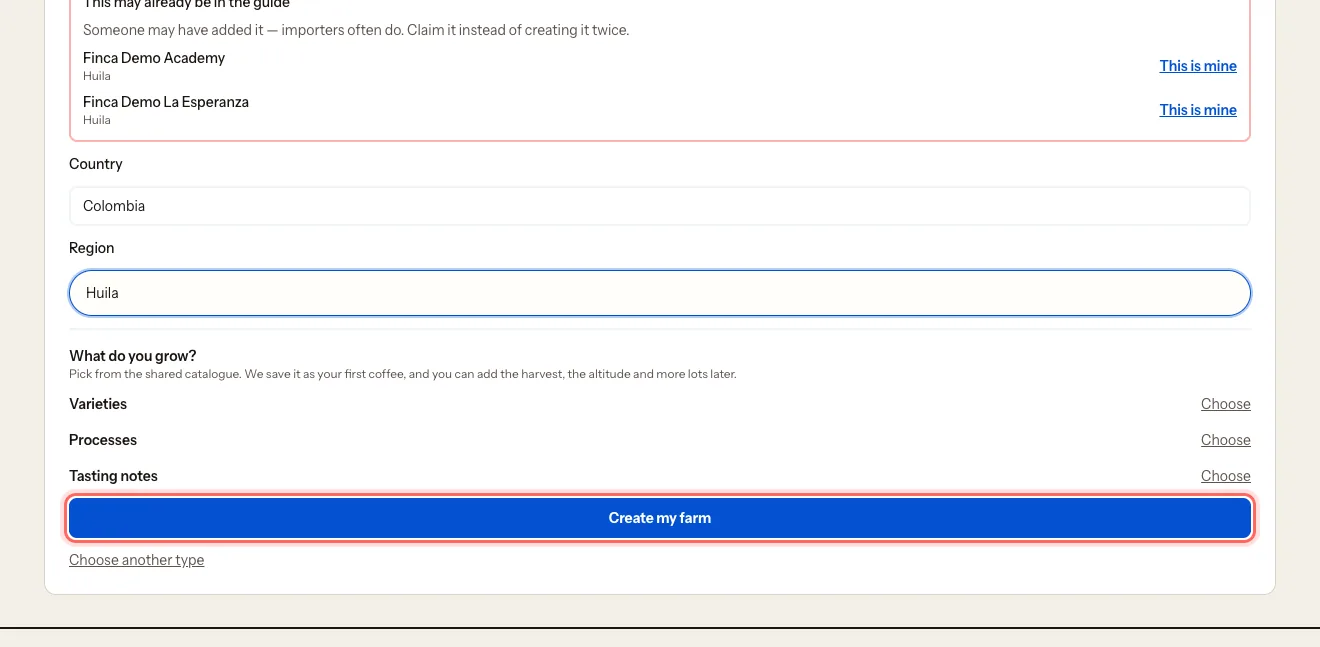
Enter the Region (for example, Huila). You can leave it for later, but it's needed to go live.
Under What do you grow?, pick your varieties and processes. We save this as your first coffee.
Tap Create my farm.
How to drop a pin in Google Maps: open Google Maps, press and hold the exact spot of your farm, then tap Share. Copy the link and paste it in step 4.
What happens next
- You land straight in your farm's dashboard. It's already yours.
- The page starts as a draft: it isn't visible in the guide yet.
- You'll get an email confirming we've received it.
- Once you've filled in the minimum, our team reviews it and publishes it.
Common problems
I see "This may already be in the guide". Someone added it before, often an importer. Tap This is mine to claim it instead of creating it twice.
I see "We couldn't read that link". Open the place in Google Maps, copy the address from the browser bar and try again. Or fill in the form by hand.
I picked the wrong country. The name and the country are changed by our team. See Request a name change or write to us.
이 가이드가 도움이 되었나요?