See your profile stats
How many people visit your farm, where they click and who signs up for your events.
読了時間:2 min2026年11月11日 更新
このガイドはまだお使いの言語に対応していないため、英語で表示しています。
See how many people view your farm's page and what they do there.
Before you start
- The farm must be yours and verified.
- The numbers start once the page is live and someone visits it.
What you'll get: whether your page is working, and who's interested in your events and jobs.
Steps
In your farm's dashboard, under Manage your page, open Customers.
Under Your listing in numbers, pick the Period.
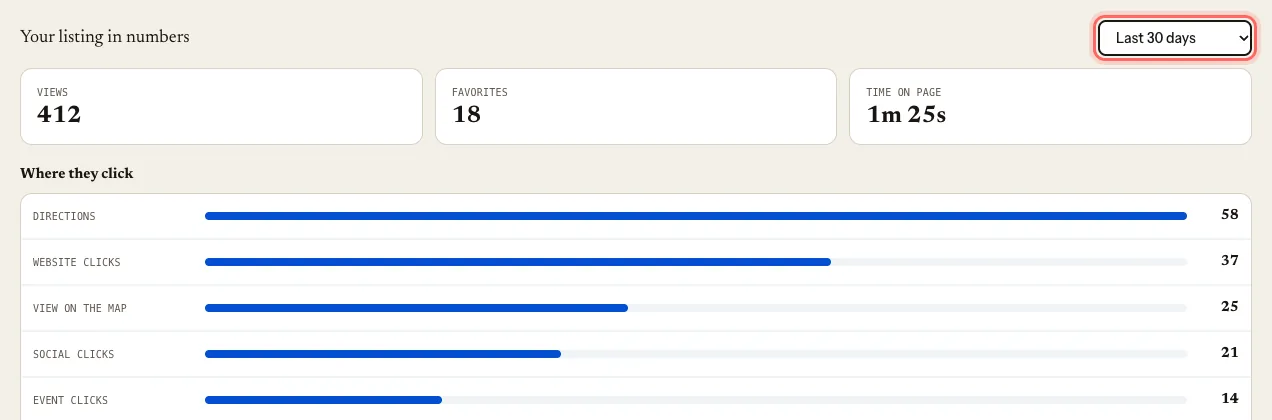
Look at the numbers:
- Views: how many times your page was opened.
- Where they click: your website, your phone, your social media, the map…
- Favorites: how many people saved your farm.
- Time on page: how long they stay reading.
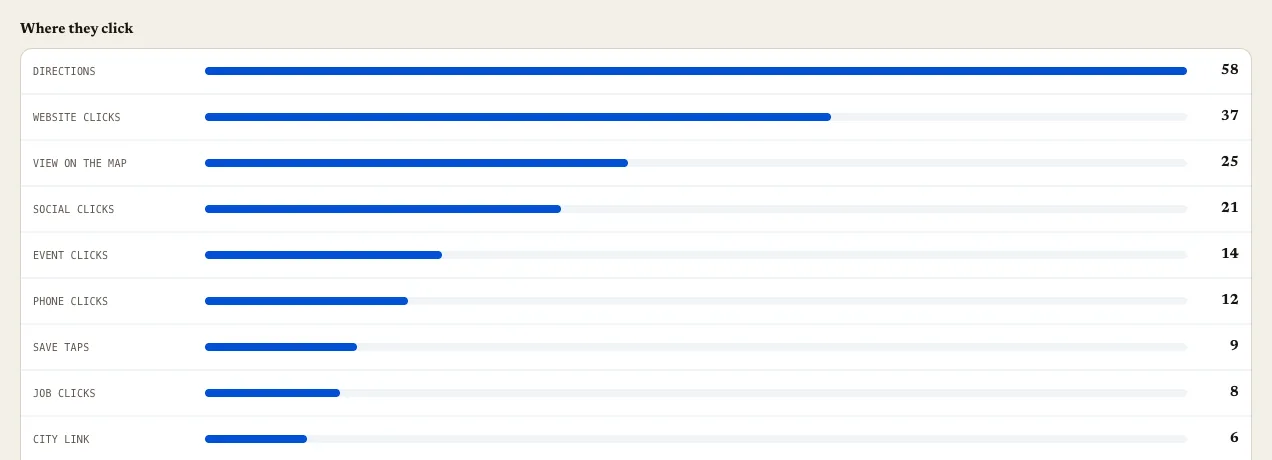
Scroll down to see Event sign-ups and Job applicants, with their name and contact details.
If you use an external link for tickets or jobs, Managed outside the guide shows the Link clicks.
Common problems
I see "No data yet for this period". The page isn't live yet, or nobody visited it in those dates. Try a longer period.
Time on page says "Not enough visits yet". It takes a few visits to give a reliable average.
このガイドは役に立ちましたか?