Track event sign-ups
See who has signed up for your event, download the list and reach each person.
読了時間:3 min2026年11月11日 更新
このガイドはまだお使いの言語に対応していないため、英語で表示しています。
When people sign up for your event through the guide's form, you see their name, their contact details and how many people are coming.
Before you start
- The event must use Form sign-ups. With a Tickets link, people sign up on your website and here you only see Link clicks.
- You need the Owner, Admin or Manager role. Viewers can't see sign-ups.
What you'll get: the attendee list with contact details, so you can confirm places or announce changes.
Steps
From the event
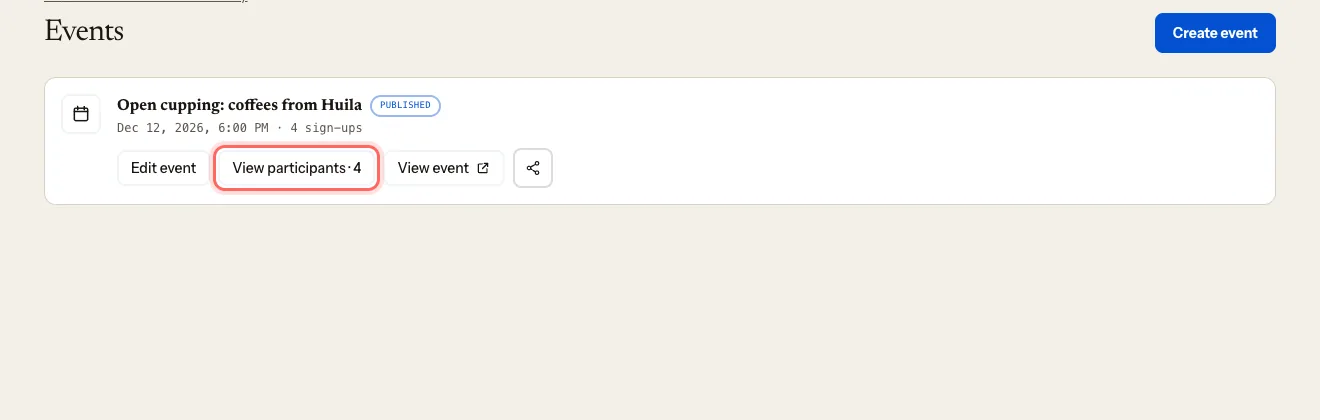
In your coffee shop's dashboard, go to Events.
Click View participants on the event. The number next to it is the total of sign-ups.
Under Sign-ups, you see each person's name, party size, email and phone (if you asked for it), their Notes (if you asked for them and they wrote something) and the date they signed up.
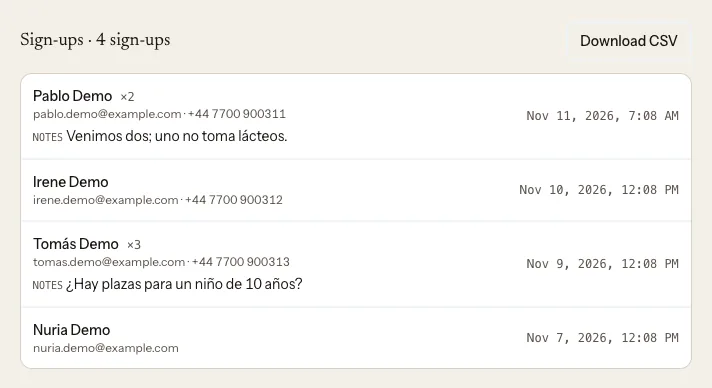
Download the list as CSV
- Inside the event, next to Sign-ups, click Download CSV.
- You get a file with each sign-up's name, email, phone, party size, status, notes and date. Open it in Excel, Numbers or Google Sheets.
If you don't see the button, write to us at mycoffee.guide/contacto.
All your events at once
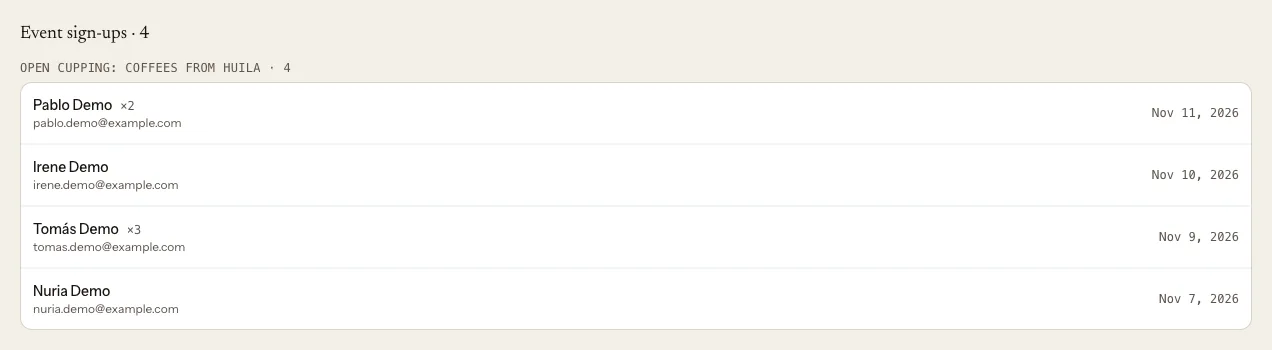
Go to Customers.
Scroll down to Event sign-ups.
Notifications
- Your dashboard shows # new signups when someone signs up.
- You also get an email for each sign-up.
What happens next
To confirm places or announce a change, email or call each person using the details you see. The guide has no messaging.
Troubleshooting
I can't see someone's "Notes". They only show if you asked for Notes in the form and the person wrote something.
I don't see "Download CSV". It appears once at least one person has signed up. If people have signed up and you still don't see it, write to us at mycoffee.guide/contacto.
I see "Name hidden". The event is over. The portal shows you the options you have to see those contacts. While the event is live, you always have them under Sign-ups.
Nobody shows up, but I know people have signed up. Check that the event uses Form and not Tickets link.
このガイドは役に立ちましたか?