See your listing stats
How many people see your listing, where they click and who signs up for your events and jobs.
Lecture : 3 minMis à jour le 11 novembre 2026
Ce guide n’est pas encore disponible dans votre langue : nous l’affichons en anglais.
Under Customers you see how many people visit your listing on mycoffee.guide, what they click and who signs up for your events and jobs.
Before you start
- You need the Owner, Admin or Manager role.
What you'll get: a clear picture of what works on your listing and where your customers come from.
Steps
In your coffee shop's dashboard, go to Customers.
Under Your listing in numbers, choose the Period. The default is Last 30 days.
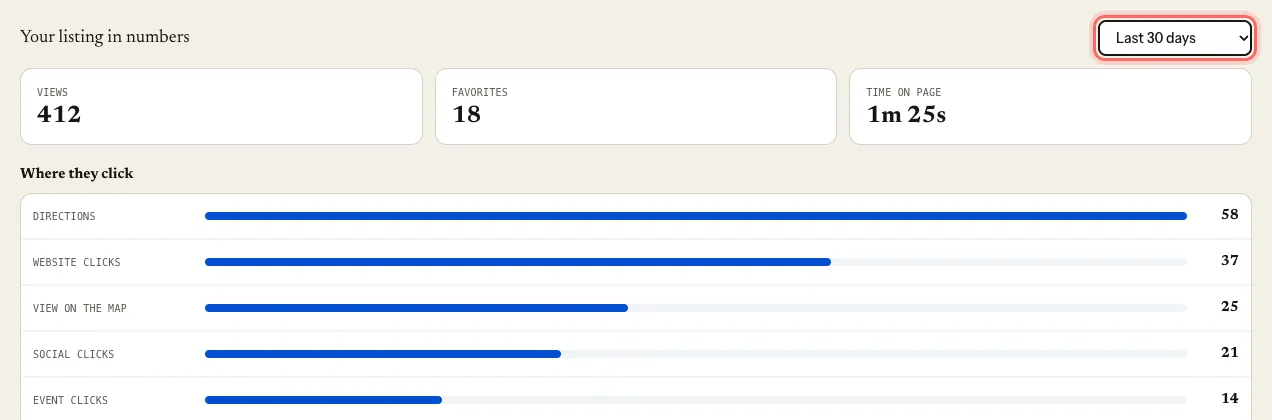
Read the numbers:
- Views of your listing;
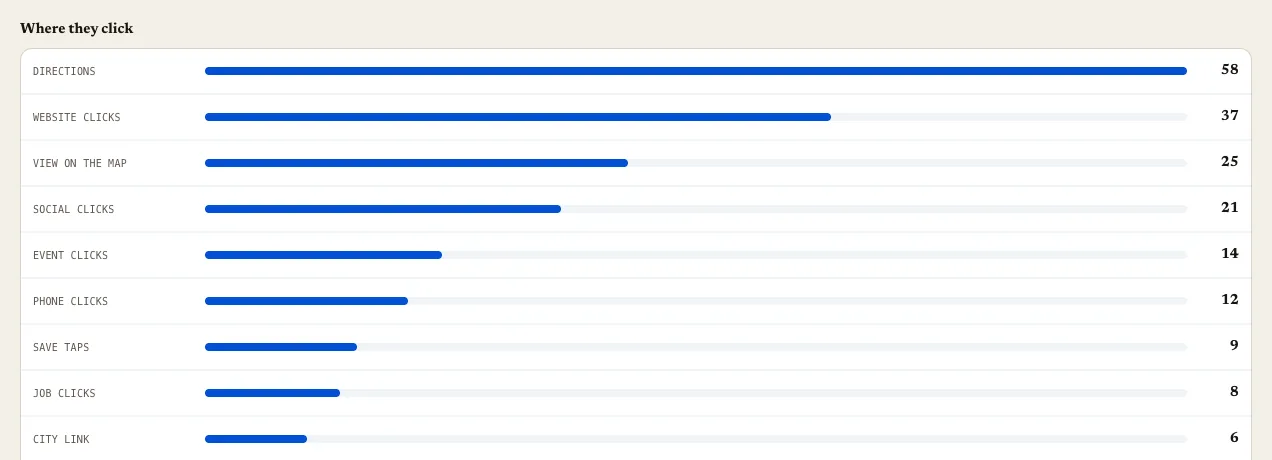
- Where they click: website, Directions, phone, social, map, the MY Coffee Awards seal, your events and your jobs;
- Favorites: who has saved it;
- Time on page.
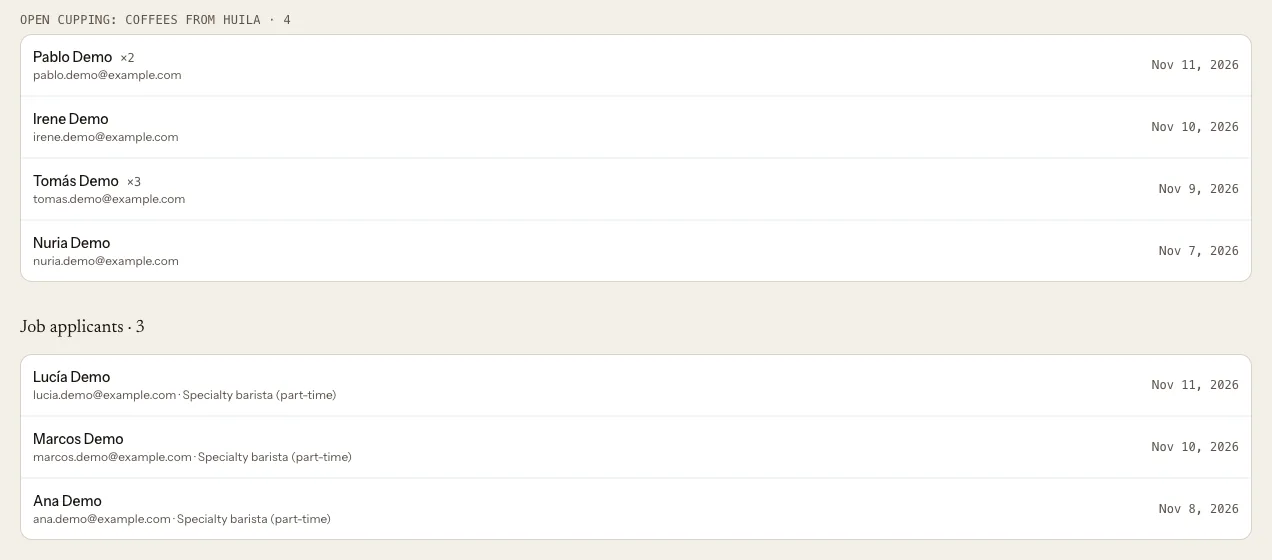
Further down, Event sign-ups and Job applicants bring together everyone from your events and jobs.
Managed outside the guide counts clicks to your website on events and jobs that use an external link.
What happens next
The numbers build up as people visit your listing. If your listing is new, give it a few days.
Troubleshooting
I see a preview instead of my numbers. Your account doesn't have the stats turned on yet. The portal shows you the options you have; if it isn't clear, write to us at mycoffee.guide/contacto.
It says "No data yet for this period." Nobody visited your listing on those dates. Try a longer period.
"Time on page" says "Not enough visits yet". More visits are needed to give a reliable average.
What's the difference between "Save taps" and "Favorites"? "Save taps" counts every time someone taps the button; "Favorites" counts those who actually saved it.
Ce guide vous a-t-il aidé ?