Create your company profile
Create a profile for your importing company if it isn't in the guide yet.
Reading time: 3 minUpdated November 11, 2026
If your importing company isn't in the guide, create it yourself. It takes three fields; the rest comes later.
Before you start
- Search for your company on the Origin Map at mycoffee.guide first. If it's already there, don't create it again: claim it.
- You need an account on the business portal, login.mycoffee.guide.
- Have the Google Maps link for your office or warehouse to hand, if you have one. It fills in the name, the country and the map pin for you.
What you'll get: a profile in your name, as a draft, ready to complete.
Steps
Go to login.mycoffee.guide.
If it's your first time, you'll see two First, tell us who you are screens in a row: one for your name and city, and one for your role, contact email and phone. Fill in both and tap Continue on each.
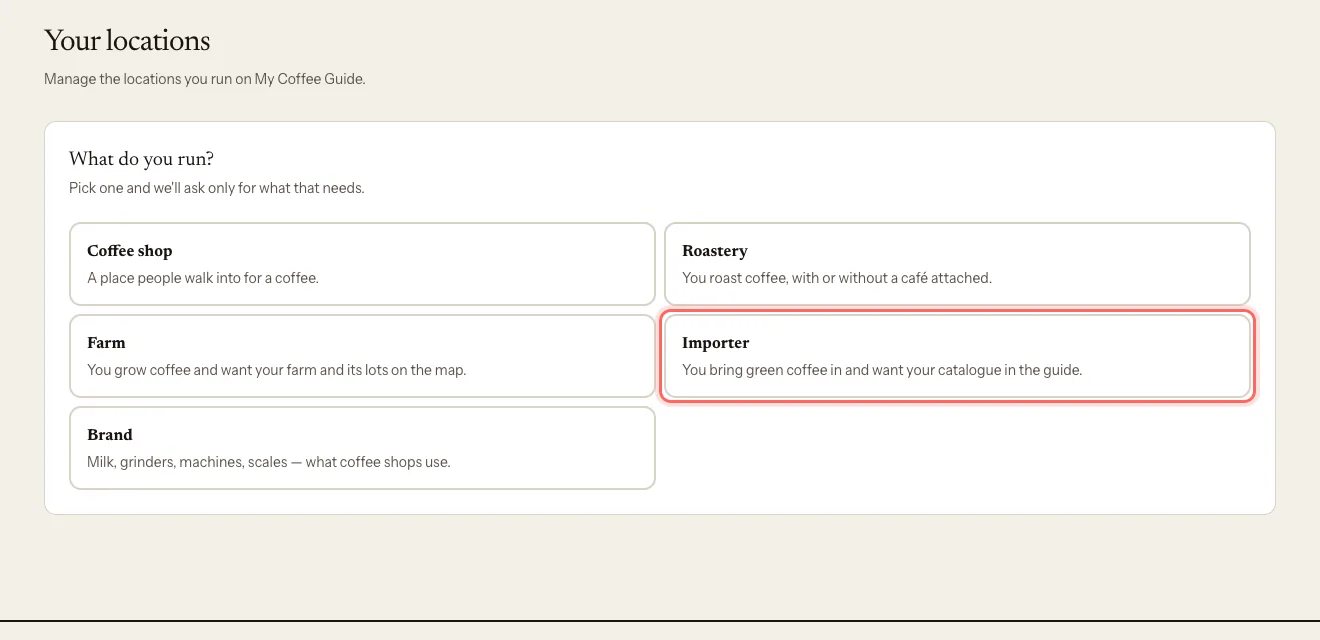
Under What do you run?, choose Importer.
Optional: paste the link into Google Maps link (optional) and tap Use it. You'll see Got it. We've filled in what we could.
Type or check the Company name and Country. Both are required.
Optional: search for your City. If it doesn't show up, tap It's not here and type its name.
Tap Create my company.
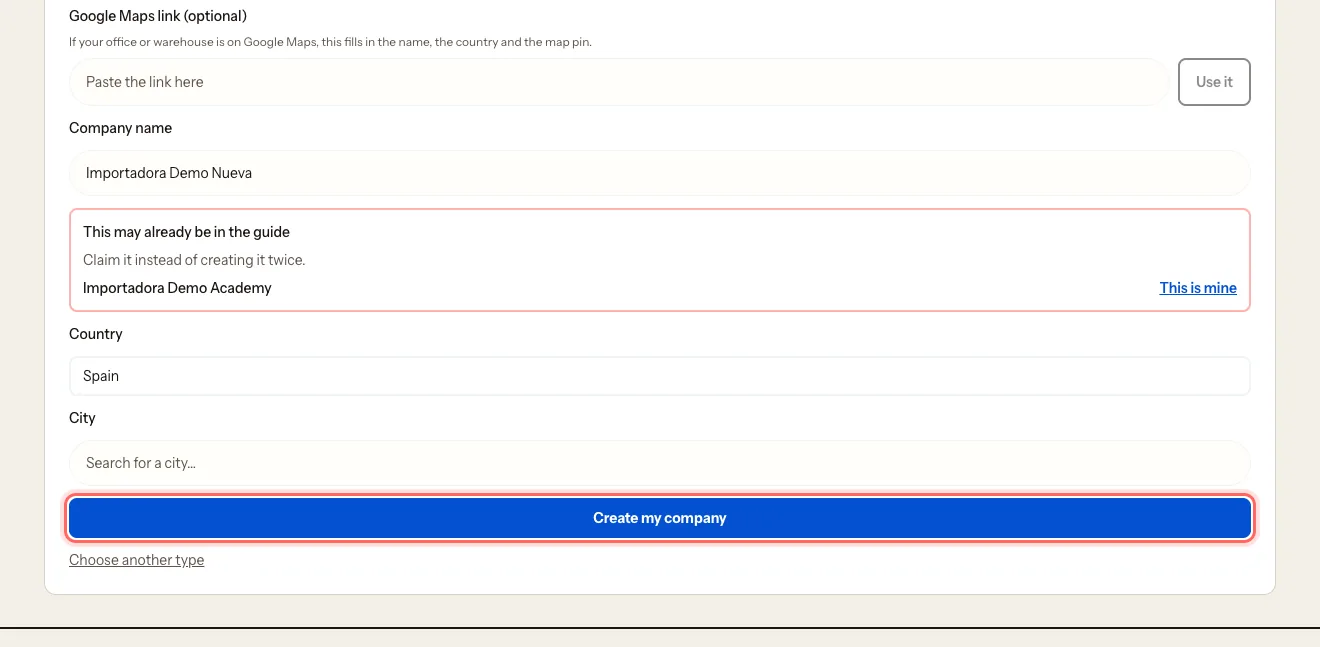
As you type the name, you may see This may already be in the guide. If your company is there, tap This is mine instead of creating it twice.
What happens next
- You go straight into your company's dashboard. There's nothing to verify: whoever creates it becomes the owner.
- The profile starts as a draft: it doesn't show in the guide until our team reviews and publishes it.
- You'll get an email confirming we've received it.
- At the top of the dashboard you'll see what's missing before we can publish it. See Complete your profile to get it published.
Common issues
"We couldn't read that link." Open the place in Google Maps, copy the URL from the address bar and try again. Or fill in the form by hand.
I got the name or the country wrong. They can't be edited after the profile is created. Ask us to change them: Request a name change.
I created my company twice. Write to us at mycoffee.guide/contacto and we'll delete the extra one.
Was this guide helpful?