Claim your coffee shop
Prove you run your coffee shop and start editing its listing on My Coffee Guide.
Reading time: 4 minUpdated November 11, 2026
If your coffee shop is already in the guide, claim it to manage its listing: photos, opening hours, jobs and events.
Before you start
- You need a portal account. If you don't have one yet, see Sign up to the business portal.
- Have the coffee shop's phone or an email at its website's domain (for example, hello@yourcoffeeshop.com) to hand. Either one verifies you instantly.
What you'll get: the listing is yours and you can edit it from the portal.
Steps
1. Find your coffee shop
There are two ways in. Use whichever is closer.
From your coffee shop's page on mycoffee.guide
Open your coffee shop's page on the website.
Tap Claim this place. It only shows if nobody has claimed it yet.
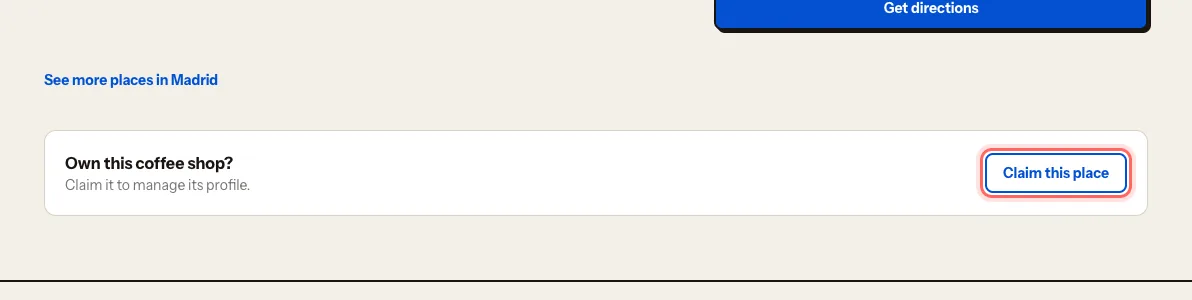
Sign in to the portal if asked. You'll land straight back on the claim.
From the portal
Go to login.mycoffee.guide.
Under What do you run?, choose Coffee shop.
On Let's find your coffee shop, stay on the Claim mine tab.
Type the name into Search by name (two letters is enough).
When you see it, tap This is mine.
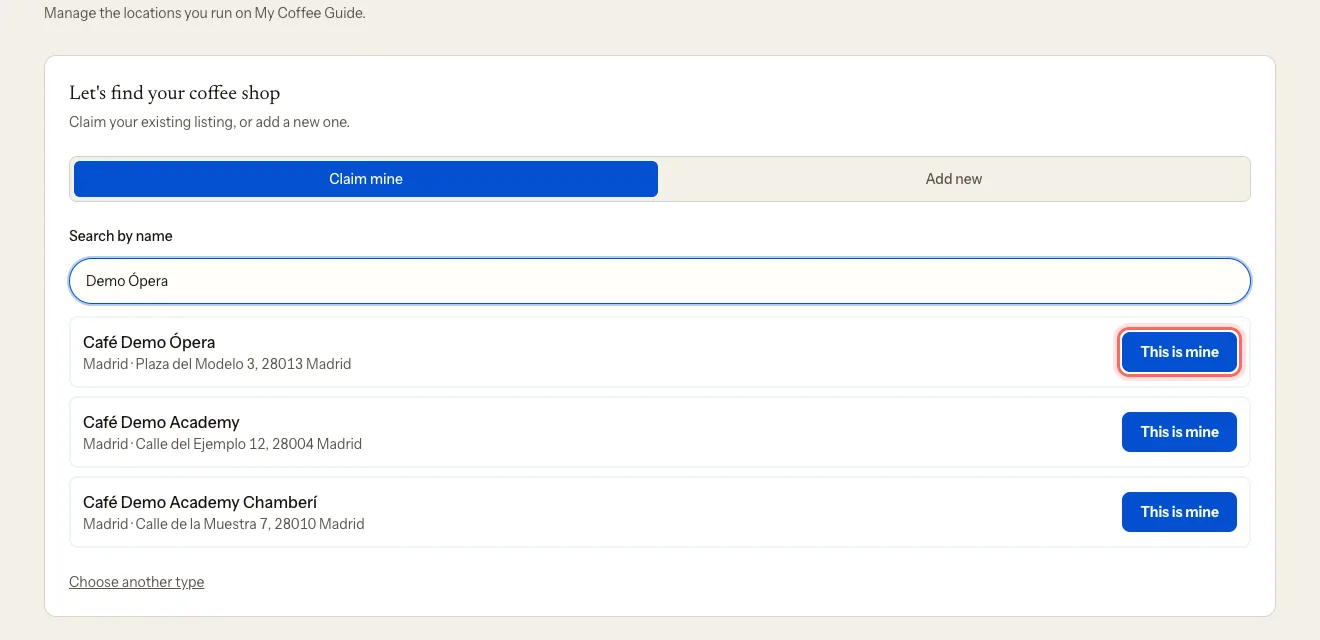
The first time, before What do you run?, the portal asks for your details on First, tell us who you are: full name, Your role in the business, contact email and contact phone. Only our team sees them — they never appear on your public listing.
2. Verify you run it
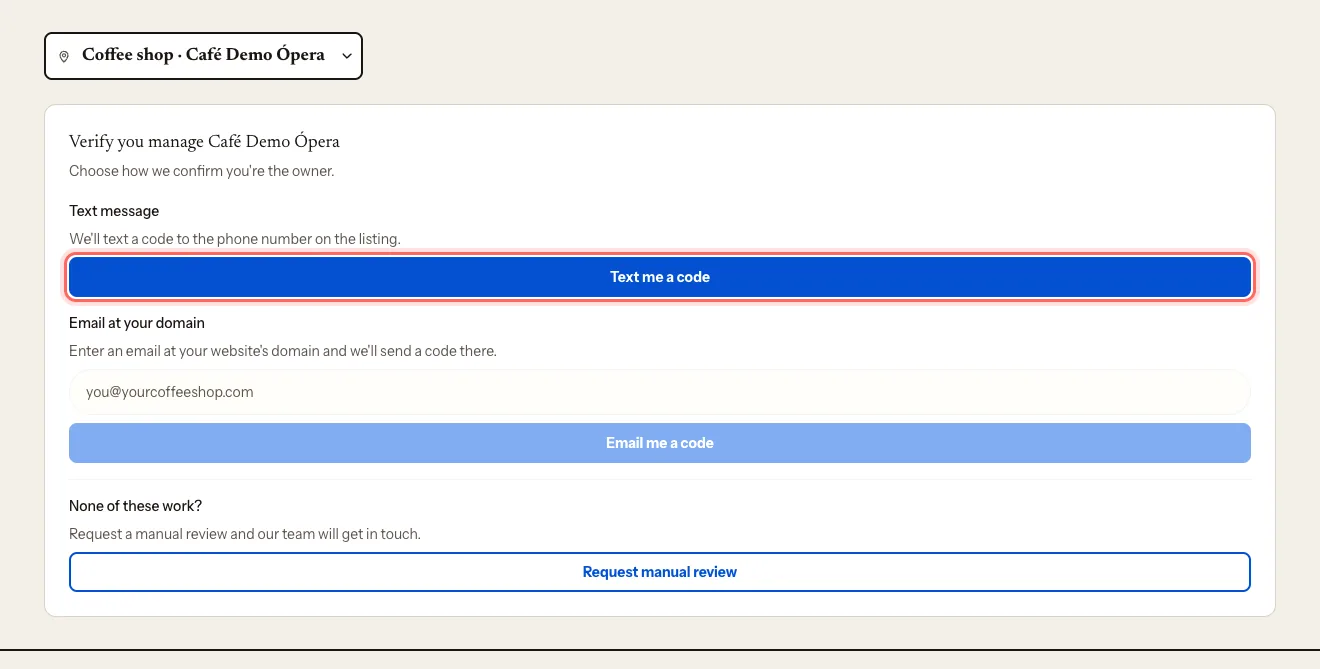
You'll land on Verify you manage {name}. Pick one channel:
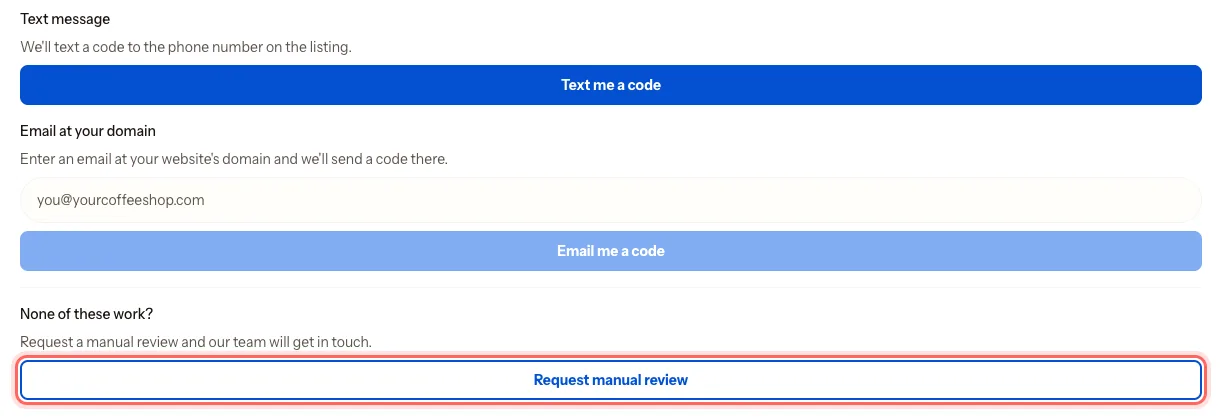
- Text message: we text a code to the phone number on the listing.
- Email at your domain: enter an email at the listing's website domain and we send a code there.
Tap Text me a code or Email me a code.
Type the six digits into Verification code.
Tap Verify.
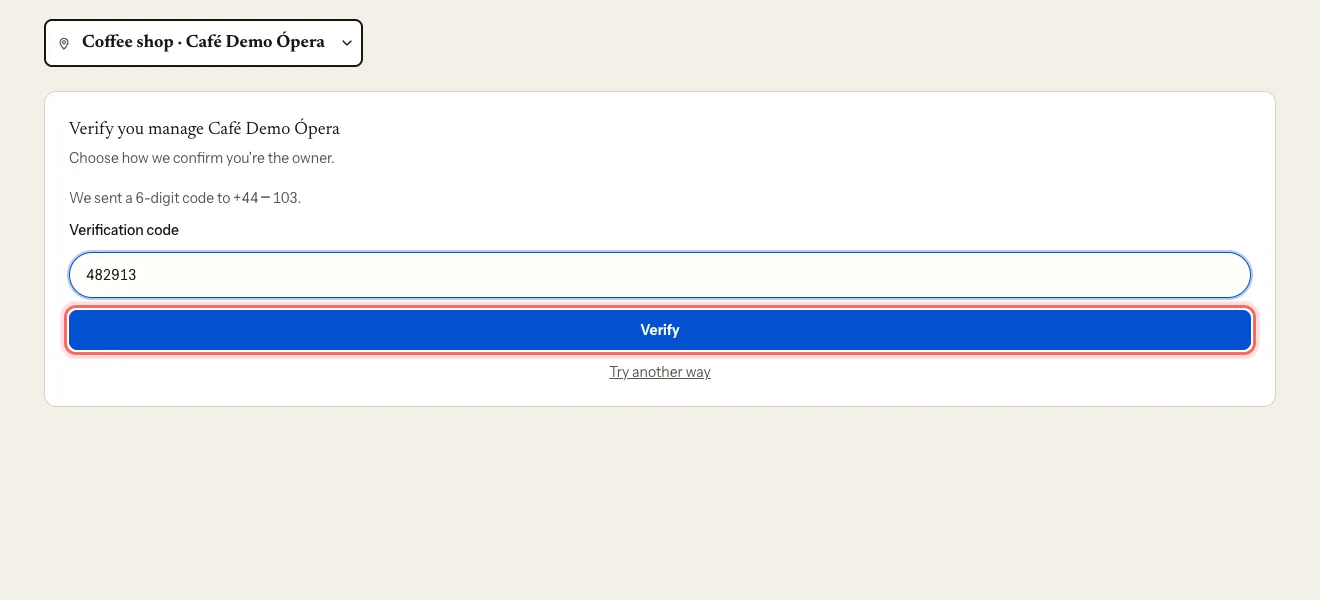
If the code doesn't arrive, tap Try another way and pick the other channel.
3. If you can't verify with a code
Maybe the phone on the listing isn't yours any more, or the coffee shop has no website.
Under None of these work?, tap Request manual review.
You'll see Manual review in progress, and we'll email you to confirm we've got your request.
What happens next
- With a code: the listing is yours straight away and you land on its dashboard.
- With a manual review: our team checks it and emails you the answer. Meanwhile, you'll see Verification pending next to the listing.
Troubleshooting
I don't see the "Claim this place" button. The listing already has an owner. If you think that's a mistake, contact us at mycoffee.guide/contacto.
The code doesn't work. It expires after 10 minutes and allows five attempts. Request a new one. You can request up to five an hour.
I can't find my coffee shop in the search. It may not be in the guide yet. Add it from the Add new tab: Add a new coffee shop or suggest one.
I get "Claim not approved". We couldn't confirm you run the coffee shop. Contact us and we'll tell you what we need.
Was this guide helpful?
Next step
Edit your listing: photos, hours and featuresUpdate your coffee shop's description, photos, opening hours, contact details and features.Related guides
- Sign up to the business portalCreate your My Coffee Guide business portal account in a minute, with Google, your email or your phone.
- Add a new coffee shop or suggest oneIf your coffee shop isn't in the guide yet, add it from the portal. If it isn't yours, suggest it from the website.
- Invite your team and choose rolesGive your manager, your business partner or your agency access to the portal, with the permissions each one needs.